iPhone gone –
Nothing works

- 2FA
- Banking
- Messaging …

It doesn’t have to get that far.
PhoneGuard alerts you
in seconds.¹
after ≈ 5–10 min Info
Apple Watch required
No Apple Watch?
Then $12.90 a year · about 4¢ a day
★★★★★ 4.8 USA (37)★★★★★ 4.4 Germany (38)
No adsNo sign-up required
★ 4.8 USA (37) · ★ 4.4 Germany (38)
Everything in one app
Left-Behind Protection, Smart pause, and an emergency alarm.
Stay in control of your digital life.
About 4¢ a day.
Turn it on once –
PhoneGuard keeps watch
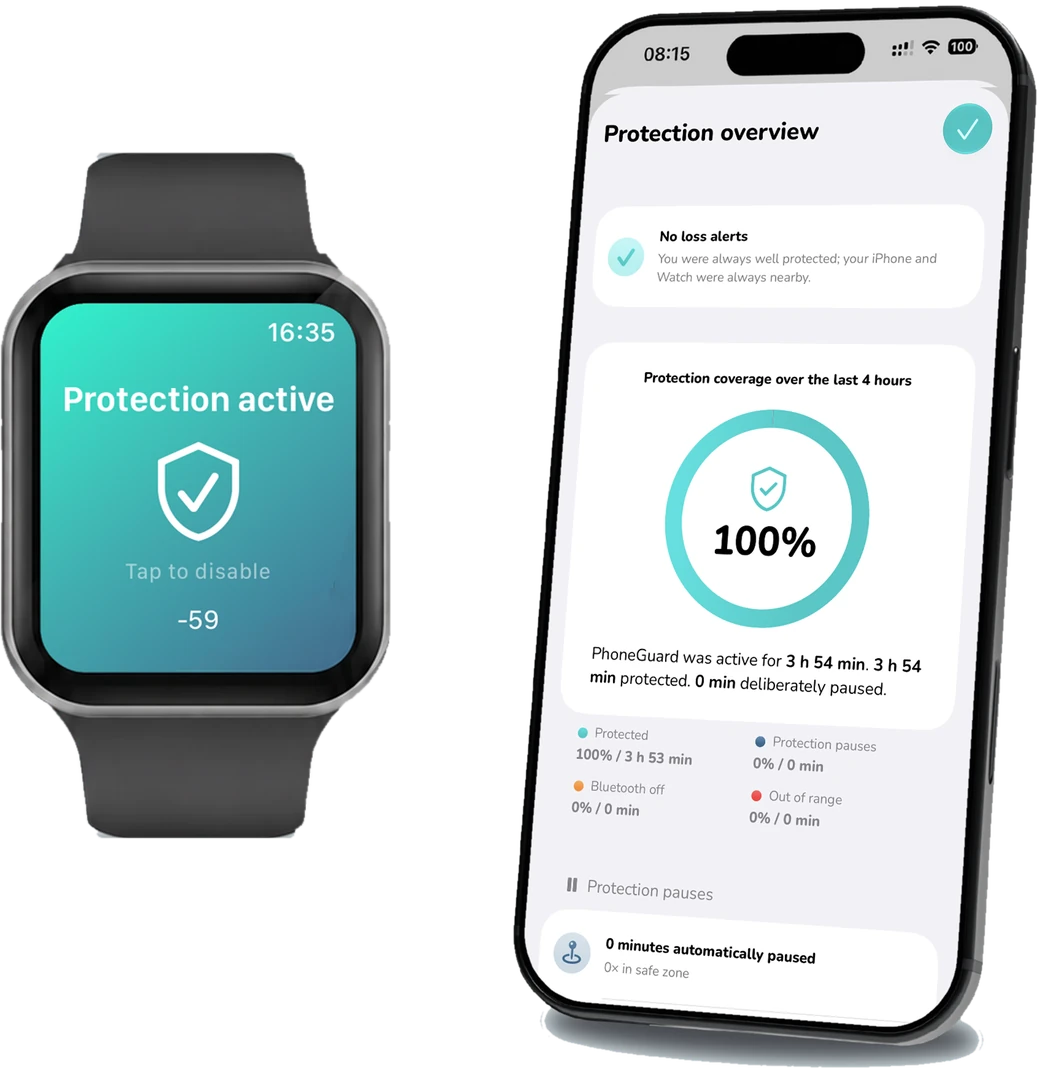
- Works in the background – so you can forget about it.
- Pauses automatically at home – once you set it as a safe zone.
- At a glance – alerts, coverage, and pauses.
PhoneGuard + Apple Find My –
Better together
Alerts you in seconds
- On your Apple Watch
- Typically ≈ 30–130 ft away (≈ 10–40 m)
Helps after it's lost
- Locate, play a sound, lock, erase
- Notify When Left Behind: after ≈ 5–10 min (walking)
What users say –
on the App Store
-
★★★★★
“Great customer service. I am using phone guard in the USA. The company is based in Germany. I sent feedback that the app was not working. I got a prompt email response and even a phone call advising me on how to resolve the issue.”
love2teachthem · App Store · February 2026
-
★★★★★
“The response time is much quicker then apple itself. Very impressive.”
Photoking25 · App Store · March 2026
-
★★★★★
“Very good app. Thank you”
Mendicino · App Store · November 2026
Selected reviews, quoted in full
Everything in one app –
easy to use
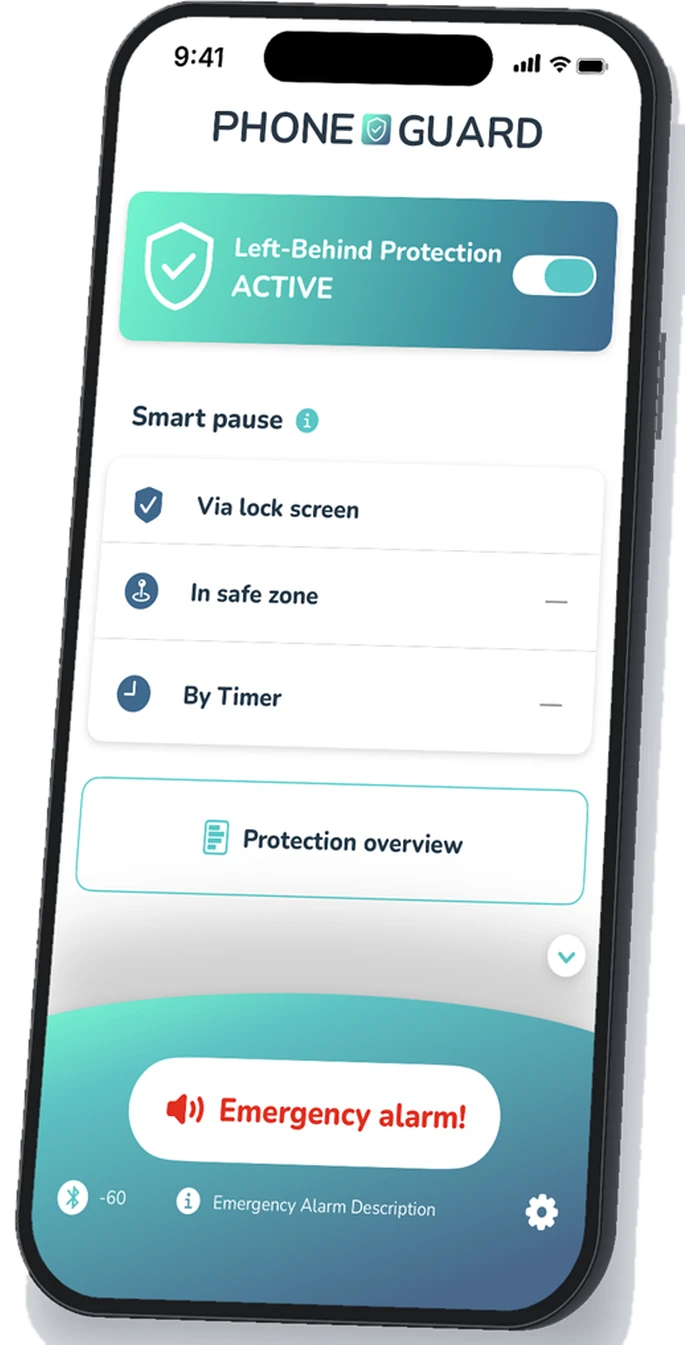
- Left-Behind Protection – PhoneGuard alerts you on your Apple Watch if you leave your iPhone behind.
- Smart pause – in a safe zone, with a timer, or from your Lock Screen.
- Emergency alarm – draw attention with one tap.
Frequently asked questions
Which iPhones and Apple Watches are supported?
You’ll need an iPhone with iOS 17.5 or later and a paired Apple Watch with watchOS 10.5 or later. Turn on Bluetooth on both devices.
Starting with iOS 18, you can also trigger the emergency alarm from your Lock Screen or Control Center.
I already use Find My – why PhoneGuard?
Two layers of protection for your iPhone
PhoneGuard alerts you in seconds.
Apple Find My helps you locate a lost iPhone.
PhoneGuard alerts you in seconds
Left your iPhone behind or forgot it? PhoneGuard alerts you on your Apple Watch as soon as you’re typically ≈ 30–130 ft (≈ 10–40 m) away from your iPhone – depending on your surroundings. You’re still close enough to turn back right away.
Find My alerts took ≈ 5–10 minutes in our walking tests
In our own walking tests and in reports from the Apple Support Community, Find My’s “Notify When Left Behind” alerts typically arrived after ≈ 5–10 minutes. In some cases, they took 15 minutes or more.
Apple doesn’t specify a fixed time or distance for these alerts.
Also, in Find My you have to turn on “Notify When Left Behind” separately for each device. PhoneGuard alerts you on your Apple Watch without this extra setup.
Different jobs
Apple Find My was designed mainly to find devices that are already gone – from AirTag to MacBook to iPhone: locate, play a sound, lock or erase. PhoneGuard steps in earlier and alerts you before your iPhone is gone.
Better together!
Sources
- Apple iPhone User Guide: Set separation alerts in Find My
- User reports in the Apple Support Community
- PhoneGuard’s own walking tests
As of November 2026
Will PhoneGuard alert me at home?
Yes, when protection is active. Set your home as a safe zone and Smart pause automatically pauses alerts while you’re there. Protection resumes when you leave. You can also pause it with a timer or from your Lock Screen.
When does PhoneGuard alert me? Does it also alert me if my iPhone is stolen?¹
PhoneGuard is designed to alert you if you leave your iPhone behind. When the Bluetooth connection between your iPhone and your Apple Watch drops while protection is active, PhoneGuard alerts you on your Apple Watch.
If someone takes your iPhone, you may get the same alert when that connection drops – but PhoneGuard is not an instant theft alarm. The alert signals a lost connection; it doesn’t detect the theft itself.
We’re already exploring ways to warn you sooner if someone takes your iPhone without you noticing.
How do I cancel?
On your iPhone, open Settings, tap your name, then tap Subscriptions. Select PhoneGuard and tap Cancel Subscription.
Your subscription renews automatically unless canceled. To avoid being charged after the free trial, cancel at least 24 hours before it ends.

“The question isn't whether you'll leave your iPhone behind and suddenly nothing works* – it's when.”
Ludwig Balla
Founder of PhoneGuard
* Without their iPhone and 2FA (two-factor authentication), most of us are suddenly locked out of our digital lives – at home and at work. Losing the expensive device is often the smallest problem.